Monday, July 30, 2012

How to Change Default Anonymous Avatar in Blogger Comments

0 comments

In the past tutorial you've learned how you can change avatars size in blogger comments but this simple tutorial will show you how to change or customize default avatar of anonymous commenters or Blogger users with no photo added on their profiles. After Blogger announced new feature of threaded comment, we can still customize it by adding a jQuery plugin to our template and replacing the default anonymous avatar URL http://img1.blogblog.com/img/anon36.png and the one for blogger users http://img2.blogblog.com/img/b36-rounded.png with our own.

anonymous, default avatar, blogger blogspot

Step 1.

If you are using the old Blogger interface:
  • Go to Dashboard - Design - Edit HTML - Expand Widget Template (make a backup)
If you are using the new Blogger interface:
  • Go to Dashboard - Template - Edit HTML - Proceed - Expand Widget Template (make a backup)

Step 2. Find (CTRL + F) this code in your template:

</body>

Step 3. Add the following code just above it:

<script src='http://code.jquery.com/jquery-latest.js'/>
<script>
$(&quot;img[src=&#39;http://img1.blogblog.com/img/anon36.png&#39;]&quot;)
.attr(&#39;src&#39;, &#39;https://blogger.googleusercontent.com/img/b/R29vZ2xl/AVvXsEj7TderIBduOaq-4zqLCQ1-znWikWy6iQU3AaAJ5Vp3YsglgJ96mnEvyxRO6fm2XkhsfGZEYOYTaQfK6zDN3Gfrek7ccK23J2ehi5fB8HGJxoQEbIS8xrHuJjYOgqTILw4N78baTnoCnoY/s1600/default_avatar.gif&#39;)
.ssyby(&#39;blank&#39;)
</script>
<script src='http://code.jquery.com/jquery-latest.js'/>
<script>
$(&quot;img[src=&#39;http://img2.blogblog.com/img/b36-rounded.png&#39;]&quot;)
.attr(&#39;src&#39;, &#39;https://blogger.googleusercontent.com/img/b/R29vZ2xl/AVvXsEhuvnZ0zWSoh7diKgIaxHkkMLZmT4R9d0_d8ns_E9LHrOzoxMpkfFf5RKPAj5wBlY9keF_OS7ZJW-uHnZKm62sI-VNCAzRUixhjP59YInfqYkS5HOxh42-yzI3MpYkG9LTBNPOzzFR3C5E/s1600/blogger-user.png&#39;)
.ssyby(&#39;blank&#39;)
</script>

Step 4. Save the Template

How to change avatar:

For Anonymous users: Replace the code in red with the url address of your image
For Blogger users: Replace the URL in blue with your own.

You can choose one from these below (copy the url address):


https://blogger.googleusercontent.com/img/b/R29vZ2xl/AVvXsEj7TderIBduOaq-4zqLCQ1-znWikWy6iQU3AaAJ5Vp3YsglgJ96mnEvyxRO6fm2XkhsfGZEYOYTaQfK6zDN3Gfrek7ccK23J2ehi5fB8HGJxoQEbIS8xrHuJjYOgqTILw4N78baTnoCnoY/s200/default_avatar.gif


https://blogger.googleusercontent.com/img/b/R29vZ2xl/AVvXsEi5lLFrLBi63lasBNMf4LeBr_PIPbvrYKr0BWO9AGx8CfpAJe2iik29P22todLfp5tzzpSN2oIstlCuHRyTgJxvN-KGkUpwjMAqhs5t4e4FTQeOM7AkDm8m9tQ7JClQqXSjs_jK87XrxAQ/s1600/facebook.gif
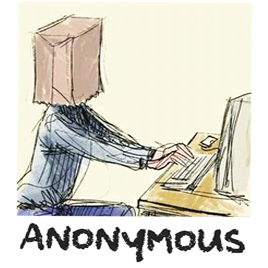

https://blogger.googleusercontent.com/img/b/R29vZ2xl/AVvXsEjs7ZoEn5J8aMVpCfhmf_3hEu2WEVRuxJCA46j1iQXygCvr07yShXyqNJepCFrScS6fWq70yc6l-gkOUnxCFjBkHcadNdPhKoyg2qF6U139VgozpiYd7PHJTGVKE66xsqcqxv25vLi_AX0/s1600/anonymous3.png



https://blogger.googleusercontent.com/img/b/R29vZ2xl/AVvXsEjPLKFM-wWrgSU0V77vOeGfp9rfHuvAcvhP9JXeaC0T9tqbJlkjN3d2CdmG5ulB8MXDhTd7WlNFbQ4n-JBUenjIsLCmo8mwVUTOlzH_h14um3Kvgm3oe1afEXHPjL90HdHjzycmCr_DKJ7-/s1600/blogger-user.png

If you liked this post, please consider sharing it. Thanks!
Read more ►

Add Facemoods Emoticons To Your Blogger Comments

0 comments

Want to add Facemoods emoticons in your Blogger comments? Then follow the next steps:

emoticons, smileys, blogger, tricks

Step 1.

If you are using the old Blogger interface:
  • Go to Dashboard - Design - Edit HTML - Expand Widget Template (make a backup)
If you are using the new Blogger interface:
  • Go to Dashboard - Template - Edit HTML - Proceed - Expand Widget Template (make a backup)

Note: you should first remove threaded comments (Click here)

Step 2. Search (CTRL + F) for this code:

<h4 id='comment-post-message'><data:postCommentMsg/></h4>

Step 3. Add the below code just above it:

<div style=' width: 450px; text-align: left; border: 4px dashed #0084ce; background: #FFFFFF; padding: 10px; color:#000000; font-weight:bold; '>
<img border='0' src='https://blogger.googleusercontent.com/img/b/R29vZ2xl/AVvXsEi4Dio9wvxtMM7HEwyUK9-yLmm03VtodU9NOoumPTu_DymQPTuyC4EA8Xz6IiWnj68lKZV5w2EWInLFAMqKFF9uPUZdQpybQ2FHU4-ri7HMx6PQ4ylhtg50r2qUXKk78ns9zuy6PXg1GkYX/s1600/helplogger.blogspot.com(1).gif'/> :a
&#160;
<img border='0' src='https://blogger.googleusercontent.com/img/b/R29vZ2xl/AVvXsEg1oAuPlfK401ofmqRpth1D_Pej3C8RU3DgQrEnNLtkP50DzYEJIOGnCpBSU71YMr1C8A5N5hYV1pCQ9B0dxM0OQiHTuqrV3pdo0yBnhSQ-p9mSbU2fn6O4Kl52c5TyCqS_0-1up84Uvj5R/s1600/helplogger.blogspot.com+(2).gif'/> :b
&#160;
<img border='0' src='https://blogger.googleusercontent.com/img/b/R29vZ2xl/AVvXsEiZ0D_56Q8-RIUHB2rQmaRvnyvnT0u8SOQ-sIdmDPMxfYHU_SDQ65Pcxk07f8EbcP3XDJ4lbvTMTNbofAGYdk4j5H4BmZiuzEMZmxIfPN24Lip_IG_AIw-a2OSv5ZWqwvh8GQnVfkVB2H0g/s1600/helplogger.blogspot.com(3).gif'/> :c
&#160;
<img border='0' src='https://blogger.googleusercontent.com/img/b/R29vZ2xl/AVvXsEjcU52EZq4nhVPrC4TlrKyKmGauUvX8_U0WcjWBJf_8q-U19X4jMLZKSt3whdLm9tCPU5uoUV9DTm8lETHeOwBmYd2tg3CASbmIwuFGZ5VnrUC4CTcrkY7YSV_mpJgdxg3ERezLWVs4uCZr/s1600/helplogger.blogspot.com(4).gif'/> :d
&#160;
<img border='0' src='https://blogger.googleusercontent.com/img/b/R29vZ2xl/AVvXsEi92no4I3kXh5-EgheT7f2ODnUrYdX6QLrtB1tO_nNDQf8J4yRp0w0ZedOBJDHSyMxSSSzkZmGsNCeLXbuknGa1FVEshf9PjtV2yfbvsOo7r8u1UyphnZAzbcbTOThnbTR5aR4CdGshoScd/s1600/helplogger.blogspot.com(5).gif'/> :e
&#160;
<img border='0' src='https://blogger.googleusercontent.com/img/b/R29vZ2xl/AVvXsEiorruG3kxQprTj6i645vP97KOL1BiJlIhqbKFpVuD0j6UDLjiKGMkDDgy246al343y5GkBXCrDEguknN5IWIgdv0gQXg15t9hgm0oZvoC7ASPPHsXhN3MUCVvNDficmrBmv46mezvcDbn-/s1600/helplogger.blogspot.com(6).gif'/> :f
&#160;
<img border='0' src='https://blogger.googleusercontent.com/img/b/R29vZ2xl/AVvXsEhuaFW-voTsd4eCU5lB9HgipaTthfRQKXPWMhk1jBG1okkgC7gaF9gcPfexJNAAyTcJOixkq3Mg2Uc5T1-3KcMC3myqVxwLroG7xbY7BSv1_SYxuGyKwAOWJwwkx2hhTgZn0os5A0qayrD0/s1600/helplogger.blogspot.com(7).gif'/> :g
&#160;
<img border='0' src='https://blogger.googleusercontent.com/img/b/R29vZ2xl/AVvXsEiPuQPZbV1kpmrbyh0sLpBprph06TML9LHmQoe1oYnNPGUvsp15Uivx3PtrMi-UmrnYjhyphenhyphenlE0nCbWEnQOeAF-1D3GZIhp0PB-EwZj5lz8YdkqIEiXvWSFX8oaZXZ4Igb_0gK-5V5bLr9aOz/s1600/helplogger.blogspot.com(8).gif'/> :h
&#160;
<img border='0' src='https://blogger.googleusercontent.com/img/b/R29vZ2xl/AVvXsEjLnT9mPkZLSmEieccgPgGRETf8GvFutrz2VuBO0Lx-VgzsEaXsO0lNV6kpIgSd9KjuLmqElugDmd_2yveiMXLOQ_VkZF707dm7NsG50cbaWHMHud5J6aMna7SqdvU3BoNI2yUcd_THs3ew/s1600/helplogger.blogspot.com(9).gif'/> :i
&#160;
<img border='0' src='https://blogger.googleusercontent.com/img/b/R29vZ2xl/AVvXsEg3CdC_0h4ErJNTsyCHBejWRag2eOV0WSyPIsKQnRkOX4mUoIJ28jFkNYH0kQ18jaQzenvEk1kGi5XQ4ShFP5zHep1rPbCkZwuh55wWxSKiry-B2hQZwN-g7Y83HSUraoj4o4RIiSvbLs6o/s1600/helplogger.blogspot.com(10).gif'/> :j
&#160;
<img border='0' src='https://blogger.googleusercontent.com/img/b/R29vZ2xl/AVvXsEhUWAMVMdRccWMbY3lENtLtOsecG-ScGMzuETJ8Xh-uS7sV-cwE4sfeFbenErHCFPvtDLk0DvyQ9Gn9OVIcNlI1u5KyIm0ZzfrZCYW3HO3YdtHyLfNZxHjlNsoFmuj8mFWX3o11A2Sstov9/s1600/helplogger.blogspot.com(11).gif'/> :k
&#160;
<img border='0' src='https://blogger.googleusercontent.com/img/b/R29vZ2xl/AVvXsEj3n2Nd6-EQP6GLS4be5qXf_6d2aALMNlAu1CqQGKsoK5gzQE_xzHNuMhD4ITSPFZs5EJa3G2ejRpw4JTn3E7q0whOps0ZZHO7PsZrVK-HihEEHgXX7k8PszXjufLGhk8TWUQBOx0YV3zwL/s1600/helplogger.blogspot.com(12).gif'/> :l
&#160;
<img border='0' src='https://blogger.googleusercontent.com/img/b/R29vZ2xl/AVvXsEgIESH0XS25a7S0Eq8Ubcth45CAPmduqL8v3yVIofBUDbxLwHKwLRJsnJPp0qlSVZNJxsW__ysvLFev7uHiAGQPykU23cLkBWBQwIxjlwGUlMJWC7bJr28KL74wXZlH0xbPiYHQRw-RUmEm/s1600/helplogger.blogspot.com(13).gif'/> :m
&#160;
<img border='0' src='https://blogger.googleusercontent.com/img/b/R29vZ2xl/AVvXsEjWncGp1FKksZlwmtKqFkMVD1OgdJlsqauukIkZsuEQ7dj1xUv4Vs07oaMyhEI4me_d6cCJfjc1ytcvMYJguhT6Lcgx27_xd2eZouKBX4sg1juPZ1SwpL5F0U1LZDZmoPfxL52Z2FZ2Ugp0/s1600/helplogger.blogspot.com(15).gif'/> :n
&#160;
<img border='0' src='https://blogger.googleusercontent.com/img/b/R29vZ2xl/AVvXsEhlBFLjCKS778vCGniuA67TqqrGW5mKFtY5TAy1KA8JA8ta-3zS-eh9W8IeMT9AYzGi5NSvpgOSon1SbTtWdquThVaoCtkjlVCKUP8AQcW1nu60w7TXKjTPvZ-zuqDveHsTaIHSZuQM412g/s1600/helplogger.blogspot.com(16).gif'/> :o
&#160;
<img border='0' src='https://blogger.googleusercontent.com/img/b/R29vZ2xl/AVvXsEgBkMmTKhY-O-T-2QnDrw0Z7NAdVFx5LDk1QVmHHRS4NiPmlj2ltIBY8NM-KuSdjXrhDUNDu8kBpHCrHULtziXLbM74KTdE0PIunCAomME7tenTbYVAQ5WQW5loDMpu1vgGZJ-hS6HzgdpO/s1600/helplogger.blogspot.com(14).gif'/> :p
&#160;
<img border='0' src='https://blogger.googleusercontent.com/img/b/R29vZ2xl/AVvXsEhtPFmpmENMsgvocRSWJYZcgoL3s9GKRbvYtC5Tuf2DT64NaKwbI_aHEd5wu-8zPYXDsfhfgoSSyjKCxLriaZSNKZolbML0bPOwy64Nbo3VvDd6mlnYaRsSSPCJrOVwRJzxXzFuh9t2AsOy/s1600/helplogger.blogspot.com(17).gif'/> :q
&#160;
<img border='0' src='https://blogger.googleusercontent.com/img/b/R29vZ2xl/AVvXsEgogdhN5Oc28ahk8yQ_Fv2gF3c8l51SPyZULcK9kQMVT__iiAxXrT1TMbDCAyeg8FUQfhu5W9s7cG1c2FqadDAvaq34w0dVWTAcFlHLj0G1wm0ycp1mD6dXU_eRQEK3r5VI6DEPSvCiONMK/s1600/helplogger.blogspot.com(18).gif'/> :r
&#160;
<img border='0' src='https://blogger.googleusercontent.com/img/b/R29vZ2xl/AVvXsEjDPRFuCEXcf34ELzU0QyMEc2dpL1WYmbuQY15KrOkKSPe0K59eUc6xcfL67Dy61rEdEOUeQQjQOvgIctUWNnA8JD6BOFRHgiZpsAdsADcPN-GllhkkMaKYs5cOPruTNheaxbyQ3MXP5_01/s1600/helplogger.blogspot.com(19).gif'/> :s
&#160;
<img border='0' src='https://blogger.googleusercontent.com/img/b/R29vZ2xl/AVvXsEiQWs3f2r_3dzKbHGb1SDwE01u-Ooenn2NFa3QWrM45TsKp7aUFLg2MAsmckJf9VQA8kFlu_zsnxDS15FQda0wcnhEytSwB6B-U3_qpDNXsL169Cs2uxIbyFo5hnYbkU4Nn6Exp9lpZpnn0/s1600/helplogger.blogspot.com(20).gif'/> :t   <a href='http://bit.ly/Pf4mKl' style='color: rgb(30, 122, 183); font-size: x-small;'>Add smileys to Blogger + </a>
</div>

Step 4. Now search for this piece of code:

</body>

Step 5. And add the following code immediately above it:

<script type='text/javascript'>
    window.setTimeout(function() {
        document.body.className = document.body.className.replace(&#39;loading&#39;, &#39;&#39;);
      }, 10);
  </script>
  <b:include data='blog' name='google-analytics'/>
<script type='text/javascript'>
//<![CDATA[
a = document.getElementById('comments');
if(a) {
b = a.getElementsByTagName("DD");
for(i=0; i < b.length; i++) {
if (b.item(i).getAttribute('CLASS') == 'Author-comment-body' , 'comment-body') {
_str = b.item(i).innerHTML.replace(/:j/gi, "<img src='https://blogger.googleusercontent.com/img/b/R29vZ2xl/AVvXsEg3CdC_0h4ErJNTsyCHBejWRag2eOV0WSyPIsKQnRkOX4mUoIJ28jFkNYH0kQ18jaQzenvEk1kGi5XQ4ShFP5zHep1rPbCkZwuh55wWxSKiry-B2hQZwN-g7Y83HSUraoj4o4RIiSvbLs6o/s1600/helplogger.blogspot.com(10).gif' alt='' class='smiley'/>");
_str = _str.replace(/:k/gi, "<img src='https://blogger.googleusercontent.com/img/b/R29vZ2xl/AVvXsEhUWAMVMdRccWMbY3lENtLtOsecG-ScGMzuETJ8Xh-uS7sV-cwE4sfeFbenErHCFPvtDLk0DvyQ9Gn9OVIcNlI1u5KyIm0ZzfrZCYW3HO3YdtHyLfNZxHjlNsoFmuj8mFWX3o11A2Sstov9/s1600/helplogger.blogspot.com(11).gif' alt='' class='smiley'/>");
_str = _str.replace(/:l/gi, "<img src='https://blogger.googleusercontent.com/img/b/R29vZ2xl/AVvXsEj3n2Nd6-EQP6GLS4be5qXf_6d2aALMNlAu1CqQGKsoK5gzQE_xzHNuMhD4ITSPFZs5EJa3G2ejRpw4JTn3E7q0whOps0ZZHO7PsZrVK-HihEEHgXX7k8PszXjufLGhk8TWUQBOx0YV3zwL/s1600/helplogger.blogspot.com(12).gif' alt='' class='smiley'/>");
_str = _str.replace(/:m/gi, "<img src='https://blogger.googleusercontent.com/img/b/R29vZ2xl/AVvXsEgIESH0XS25a7S0Eq8Ubcth45CAPmduqL8v3yVIofBUDbxLwHKwLRJsnJPp0qlSVZNJxsW__ysvLFev7uHiAGQPykU23cLkBWBQwIxjlwGUlMJWC7bJr28KL74wXZlH0xbPiYHQRw-RUmEm/s1600/helplogger.blogspot.com(13).gif' alt='' class='smiley'/>");
_str = _str.replace(/:n/gi, "<img src='https://blogger.googleusercontent.com/img/b/R29vZ2xl/AVvXsEjWncGp1FKksZlwmtKqFkMVD1OgdJlsqauukIkZsuEQ7dj1xUv4Vs07oaMyhEI4me_d6cCJfjc1ytcvMYJguhT6Lcgx27_xd2eZouKBX4sg1juPZ1SwpL5F0U1LZDZmoPfxL52Z2FZ2Ugp0/s1600/helplogger.blogspot.com(15).gif' alt='' class='smiley'/>");
_str = _str.replace(/:o/gi, "<img src='https://blogger.googleusercontent.com/img/b/R29vZ2xl/AVvXsEhlBFLjCKS778vCGniuA67TqqrGW5mKFtY5TAy1KA8JA8ta-3zS-eh9W8IeMT9AYzGi5NSvpgOSon1SbTtWdquThVaoCtkjlVCKUP8AQcW1nu60w7TXKjTPvZ-zuqDveHsTaIHSZuQM412g/s1600/helplogger.blogspot.com(16).gif' alt='' class='smiley'/>");
_str = _str.replace(/:p/gi, "<img src='https://blogger.googleusercontent.com/img/b/R29vZ2xl/AVvXsEgBkMmTKhY-O-T-2QnDrw0Z7NAdVFx5LDk1QVmHHRS4NiPmlj2ltIBY8NM-KuSdjXrhDUNDu8kBpHCrHULtziXLbM74KTdE0PIunCAomME7tenTbYVAQ5WQW5loDMpu1vgGZJ-hS6HzgdpO/s1600/helplogger.blogspot.com(14).gif' alt='' class='smiley'/>");
_str = _str.replace(/:q/gi, "<img src='https://blogger.googleusercontent.com/img/b/R29vZ2xl/AVvXsEhtPFmpmENMsgvocRSWJYZcgoL3s9GKRbvYtC5Tuf2DT64NaKwbI_aHEd5wu-8zPYXDsfhfgoSSyjKCxLriaZSNKZolbML0bPOwy64Nbo3VvDd6mlnYaRsSSPCJrOVwRJzxXzFuh9t2AsOy/s1600/helplogger.blogspot.com(17).gif' alt='' class='smiley'/>");
_str = _str.replace(/:r/gi, "<img src='https://blogger.googleusercontent.com/img/b/R29vZ2xl/AVvXsEgogdhN5Oc28ahk8yQ_Fv2gF3c8l51SPyZULcK9kQMVT__iiAxXrT1TMbDCAyeg8FUQfhu5W9s7cG1c2FqadDAvaq34w0dVWTAcFlHLj0G1wm0ycp1mD6dXU_eRQEK3r5VI6DEPSvCiONMK/s1600/helplogger.blogspot.com(18).gif' alt='' class='smiley'/>");
_str = _str.replace(/:s/gi, "<img src='https://blogger.googleusercontent.com/img/b/R29vZ2xl/AVvXsEjDPRFuCEXcf34ELzU0QyMEc2dpL1WYmbuQY15KrOkKSPe0K59eUc6xcfL67Dy61rEdEOUeQQjQOvgIctUWNnA8JD6BOFRHgiZpsAdsADcPN-GllhkkMaKYs5cOPruTNheaxbyQ3MXP5_01/s1600/helplogger.blogspot.com(19).gif' alt='' class='smiley'/>");
_str = _str.replace(/:t/gi, "<img src='https://blogger.googleusercontent.com/img/b/R29vZ2xl/AVvXsEiQWs3f2r_3dzKbHGb1SDwE01u-Ooenn2NFa3QWrM45TsKp7aUFLg2MAsmckJf9VQA8kFlu_zsnxDS15FQda0wcnhEytSwB6B-U3_qpDNXsL169Cs2uxIbyFo5hnYbkU4Nn6Exp9lpZpnn0/s1600/helplogger.blogspot.com(20).gif' alt='' class='smiley'/>");
_str = _str.replace(/:a/gi, "<img src='https://blogger.googleusercontent.com/img/b/R29vZ2xl/AVvXsEi4Dio9wvxtMM7HEwyUK9-yLmm03VtodU9NOoumPTu_DymQPTuyC4EA8Xz6IiWnj68lKZV5w2EWInLFAMqKFF9uPUZdQpybQ2FHU4-ri7HMx6PQ4ylhtg50r2qUXKk78ns9zuy6PXg1GkYX/s1600/helplogger.blogspot.com(1).gif' alt='' class='smiley'/>");
_str = _str.replace(/:b/gi, "<img src='https://blogger.googleusercontent.com/img/b/R29vZ2xl/AVvXsEg1oAuPlfK401ofmqRpth1D_Pej3C8RU3DgQrEnNLtkP50DzYEJIOGnCpBSU71YMr1C8A5N5hYV1pCQ9B0dxM0OQiHTuqrV3pdo0yBnhSQ-p9mSbU2fn6O4Kl52c5TyCqS_0-1up84Uvj5R/s1600/helplogger.blogspot.com+(2).gif' alt='' class='smiley'/>");
_str = _str.replace(/:c/gi, "<img src='https://blogger.googleusercontent.com/img/b/R29vZ2xl/AVvXsEiZ0D_56Q8-RIUHB2rQmaRvnyvnT0u8SOQ-sIdmDPMxfYHU_SDQ65Pcxk07f8EbcP3XDJ4lbvTMTNbofAGYdk4j5H4BmZiuzEMZmxIfPN24Lip_IG_AIw-a2OSv5ZWqwvh8GQnVfkVB2H0g/s1600/helplogger.blogspot.com(3).gif' alt='' class='smiley'/>");
_str = _str.replace(/:d/gi, "<img src='https://blogger.googleusercontent.com/img/b/R29vZ2xl/AVvXsEjcU52EZq4nhVPrC4TlrKyKmGauUvX8_U0WcjWBJf_8q-U19X4jMLZKSt3whdLm9tCPU5uoUV9DTm8lETHeOwBmYd2tg3CASbmIwuFGZ5VnrUC4CTcrkY7YSV_mpJgdxg3ERezLWVs4uCZr/s1600/helplogger.blogspot.com(4).gif' alt='' class='smiley'/>");
_str = _str.replace(/:e/gi, "<img src='https://blogger.googleusercontent.com/img/b/R29vZ2xl/AVvXsEi92no4I3kXh5-EgheT7f2ODnUrYdX6QLrtB1tO_nNDQf8J4yRp0w0ZedOBJDHSyMxSSSzkZmGsNCeLXbuknGa1FVEshf9PjtV2yfbvsOo7r8u1UyphnZAzbcbTOThnbTR5aR4CdGshoScd/s1600/helplogger.blogspot.com(5).gif' alt='' class='smiley'/>");
_str = _str.replace(/:f/gi, "<img src='https://blogger.googleusercontent.com/img/b/R29vZ2xl/AVvXsEiorruG3kxQprTj6i645vP97KOL1BiJlIhqbKFpVuD0j6UDLjiKGMkDDgy246al343y5GkBXCrDEguknN5IWIgdv0gQXg15t9hgm0oZvoC7ASPPHsXhN3MUCVvNDficmrBmv46mezvcDbn-/s1600/helplogger.blogspot.com(6).gif' alt='' class='smiley'/>");
_str = _str.replace(/:g/gi, "<img src='https://blogger.googleusercontent.com/img/b/R29vZ2xl/AVvXsEhuaFW-voTsd4eCU5lB9HgipaTthfRQKXPWMhk1jBG1okkgC7gaF9gcPfexJNAAyTcJOixkq3Mg2Uc5T1-3KcMC3myqVxwLroG7xbY7BSv1_SYxuGyKwAOWJwwkx2hhTgZn0os5A0qayrD0/s1600/helplogger.blogspot.com(7).gif' alt='' class='smiley'/>");
_str = _str.replace(/:h/gi, "<img src='https://blogger.googleusercontent.com/img/b/R29vZ2xl/AVvXsEiPuQPZbV1kpmrbyh0sLpBprph06TML9LHmQoe1oYnNPGUvsp15Uivx3PtrMi-UmrnYjhyphenhyphenlE0nCbWEnQOeAF-1D3GZIhp0PB-EwZj5lz8YdkqIEiXvWSFX8oaZXZ4Igb_0gK-5V5bLr9aOz/s1600/helplogger.blogspot.com(8).gif' alt='' class='smiley'/>");
_str = _str.replace(/:i/ig,"<img src='https://blogger.googleusercontent.com/img/b/R29vZ2xl/AVvXsEjLnT9mPkZLSmEieccgPgGRETf8GvFutrz2VuBO0Lx-VgzsEaXsO0lNV6kpIgSd9KjuLmqElugDmd_2yveiMXLOQ_VkZF707dm7NsG50cbaWHMHud5J6aMna7SqdvU3BoNI2yUcd_THs3ew/s1600/helplogger.blogspot.com(9).gif' alt='' class='smiley'/>")
b.item(i).innerHTML = _str;
}
}
}
//]]>
</script>

Step 6. Save the Template. And enjoy your comments :>
Read more ►

Numbered comments on threaded comments for Blogger

0 comments
email subscription form, blogger blogspot, gadgets
If you are providing useful information in your blog, then every visitor will want to get latest updates from your blog. For that purpose you need a Email Subscription Form in your blog, so that interested visitors can easily get latest updates. And to add email or feed Subscription Form to your blogger blog (blogspot) it's a very easy thing to do. So let's begin:

1. Log in to Blogger, then go to Design > Page Elements > click on "Add a Gadget" link.
2. From the pop-up window, click on the "HTML/JavaScript" gadget.
3. Paste the following code inside the empty box:
<style>
.hl-email{
background:url(https://blogger.googleusercontent.com/img/b/R29vZ2xl/AVvXsEg7sriE2Tk_gHlk3AmaKAEyZP-S5B1tXDJQj2IUoiOt_qu12i83ZONdKq2d4Si_fDmbceUQxO-wcsj_rS2mPO_EMBh5h6vjVTBZLEPYEWGN_F1mgn1mrnIaLuEoexiz7ekjzTfX_m2wzb0/s1600/mail.png) no-repeat 0px 12px ;
width:300px;
padding:10px 0 0 55px;
float:left;
font-size:1.4em;
font-weight:bold;
margin:0 0 10px 0;
color:#686B6C;
}
.hl-emailsubmit{
background:#9B9895;
cursor:pointer;
color:#fff;
border:none;
padding:3px;
text-shadow:0 -1px 1px rgba(0,0,0,0.25);
-moz-border-radius:6px;
-webkit-border-radius:6px;
border-radius:6px;
font:12px sans-serif;
}
.hl-emailsubmit:hover{
background:#E98313;
}
.textarea{
padding:2px;
margin:6px 2px 6px 2px;
background:#f9f9f9;
border:1px solid #ccc;
resize:none;
box-shadow:inset 1px 1px 1px rgba(0,0,0,0.1);
-moz-box-shadow:inset 1px 1px 1px rgba(0,0,0,0.1);
-webkit-box-shadow:inset 1px 1px 1px rgba(0,0,0,0.1); font-size:13px;
width:130px;
color:#666;}
</style>
<div class="hl-email">
Subscribe via Email <form action="http://feedburner.google.com/fb/a/mailverify" id="feedform" method="post" target="popupwindow" onsubmit="window.open('http://feedburner.google.com/fb/a/mailverify?uri=24blogtips', 'popupwindow', 'scrollbars=yes,width=550,height=520');return true">
<input gtbfieldid="3" class="textarea" name="email" onblur="if (this.value == &quot;&quot;) {this.value = &quot;Enter email address here&quot;;}" onfocus="if (this.value == &quot;Enter email address here&quot;) {this.value = &quot;&quot;;}" value="Enter email address here" type="text" />
<input type="hidden" value="24blogtips" name="uri"/><input type="hidden" name="loc" value="en_US"/>
<input class="hl-emailsubmit" value="Submit" type="submit" />
<span style="font-size: xx-small;">&nbsp;</span><br />
<a href="http://bit.ly/Mf9Kmq" target="_blank"><span style="font-size: xx-small;">+get it</span></a></form>
</div>
</div>

Settings 
  • Replace the url address in green if you want to change the email icon
  • Increase/Decrease the 130 width value for a wider text area
  • Replace http://feedburner.google.com/fb/a/mailverify?uri=helplogger with your Feedburner Email Feed link. You can get it by visiting your feedburner account then navigate to Publicize and then to Email Subscriptions.
  • Replace 24blogtips with your feed title. It appear at the end of your feed link. In my case it is http://feedburner.google.com/fb/a/mailverify?uri=24blogtips


4. Save your widget and check your blog.
Read more ►

Sunday, July 29, 2012

0 comments

recent posts widget Generator

Recent comments widget Generator

Instructions
Change settings
Click 'Generator' button
Click 'Add to Blogger' button

Widget Title
Widget Title:

Customize Widget
Blog url: http:///
(You can leave this blank if you are displaying the comments from the same blog to which you are adding the widget)

Number of comments:
Show comment date:
Show posttitle:
Summary size: characters


Read more ►
 

Copyright © 24 Blog Tips Design by O Pregador | Blogger Theme by Jonaid Mahdi | Powered by 01199551837